Counter terminal
We’ll check the space, viewing position and hardware needed.
 SolutionsServicesPricing explainedAboutTalk to us
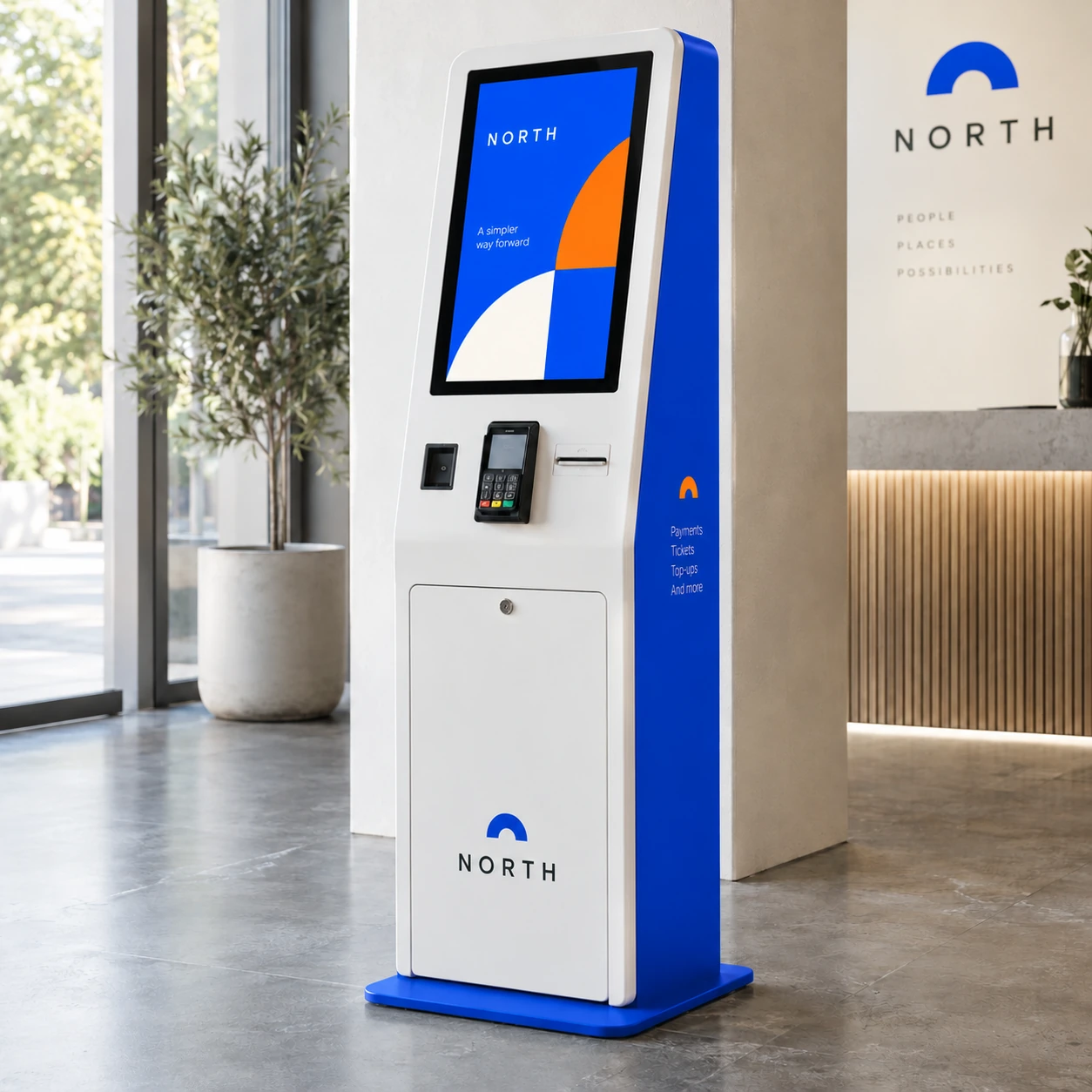
Self-service terminals for defined payment and transaction journeys.
Made around your brief, with help choosing the details.
Get a quoteHelp me choose →Share a photo or a rough idea.
We’ll help with the next steps.
We’ll help balance the look, use and budget.
Kiosk enclosure with approved payment hardware.
Tell us how content should change. Players, software, subscriptions and integrations are scoped separately where needed.
Plan power, cables, ventilation and access to maintain the equipment.
You don’t need to know every technical detail.
Send photos, approximate dimensions and indoor or outdoor conditions.
Tell us the viewing distance, light conditions and operating schedule.
Share what you want to show and who will update it.
Tell us what power, network and existing systems are available.
Payment provider, transaction flow, connectivity and support ownership.
We explain the options and costs before you decide.
The display type, dimensions, specification and number of units.
Players, licences, setup and integrations that are included in the agreed scope.
Support structures, cable routes, site access and setup work.
The quote lists the agreed supply, delivery, installation or setup where needed, and applicable taxes. Exclusions are explained too.
Any changes to price are discussed before we go ahead.
Ask about your project →Hardware, content and connections are agreed together.
Review the site, content, operating conditions and integration needs.
Agree the equipment, included software, service terms, quote and schedule.
Fit and test the agreed setup, then explain the everyday controls.
We’ll explain the agreed hardware and software support, warranty terms and how to report a fault.
Share payment provider, transaction flow, connectivity and support ownership. We then separate the display hardware from mounting, controls, software and any integration or recurring charges.
We need the provider, approved hardware and transaction flow first. Integration feasibility, security responsibilities and support must be agreed separately.
Share the system name and the task you need it to perform. Compatibility and integration work need to be checked before we confirm.
Share the equipment details and what you’re seeing. We’ll guide the next steps under the agreed support and warranty terms.
A photo or rough idea is enough. We’ll help with the next steps.

Physical branding
for businesses.
Operated by Rallyvera Allied Solutions LLP
PrivacyWebsite termsPhysical branding for businesses.
Solutions
Signs & wayfindingPrint & surface graphicsScreens & kiosksRetail displays & fixturesEvents & activationsCustom fabricationBrand essentialsWorking with Marker
ServicesPricing explainedAboutContact
Start a projectExisting customer supportOperated by Rallyvera Allied Solutions LLP
PrivacyWebsite terms